
GhostLab: Review Robot Motion
with Your Hands
Meta VR Start Developer Competition 2026 · Productivity · New Experience
SO-101 robotics · Meta Quest · Spatial motion review
TL;DR
Find the moment. Replay it. Keep the review. GhostLab turns a recorded robot run into a workbench you can inspect at arm’s length. Press a timestamped note, watch the relevant joint at quarter speed, and save an observation you can reopen offline. The bundled experience works on a Quest alone, without a robot, workstation or API key.
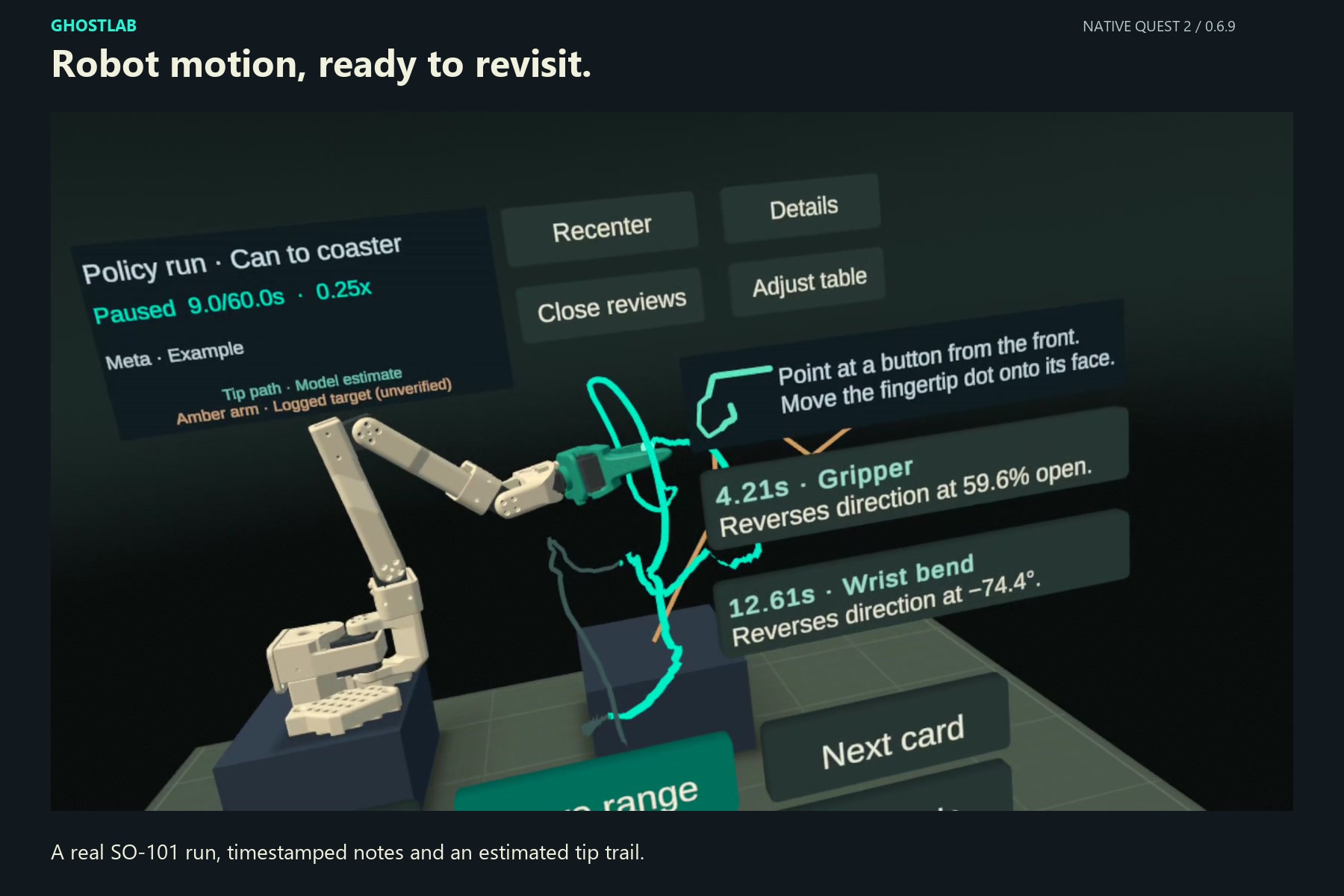
60 seconds 1,797 samples from a real SO-101 policy run, bundled with the app
0.25× replay A short interval around a selected event, with its joint highlighted
Offline review Reopen the source, selected range, cursor and playback speed on the headset
Overview
Problem
After a robot run, understanding what happened often means moving between camera footage and joint plots. The movement is spatial, but the review takes place across separate two-dimensional views.
Approach
Bring the recorded arm into a seated Quest workbench. Use hand tracking to move through time, inspect a measured event and keep the interval that matters.
Result
A complete note-to-review workflow: select, replay, save and reopen. Version 0.6.10 adds a four-step guide and clearer visual feedback, tested on Quest 2.
From teaching a robot to reviewing its motion
The idea began while I was teleoperating an SO-101. On the bench, we recorded 120 demonstrations of a can-to-coaster task, published them on Hugging Face, and trained an ACT policy on 80 of them. Once the policy ran on its own, I wanted to examine the resulting motion in a virtual environment, using my hands to move through time.
GhostLab opens on rollout_main012_1008_004335: a learned-policy execution in which the arm picks up a cola can and stands it upright on a coaster. The public demonstrations are its training-data context; the bundled run is the policy’s resulting behavior. Keeping that distinction visible is part of the review.
Load the original run with measured joints, source timestamps and any available logged targets. Missing data remains a gap.
→
Select a timestamped observation or drag the timeline. Replay the relevant joint slowly and inspect the estimated tip trail.
→
Keep the event, source, interval and tag together. Reopen the observation after restarting the app, including offline.
Watch the experience
The 2:53 demo uses human narration, English captions and native Quest 2 footage. Scene 3 was captured on 0.6.8; scenes 4–9 use 0.6.9. The same review flow is available in 0.6.10, with the additional guidance shown below. Watch on YouTube.
Use your hands to move through time
Select a note
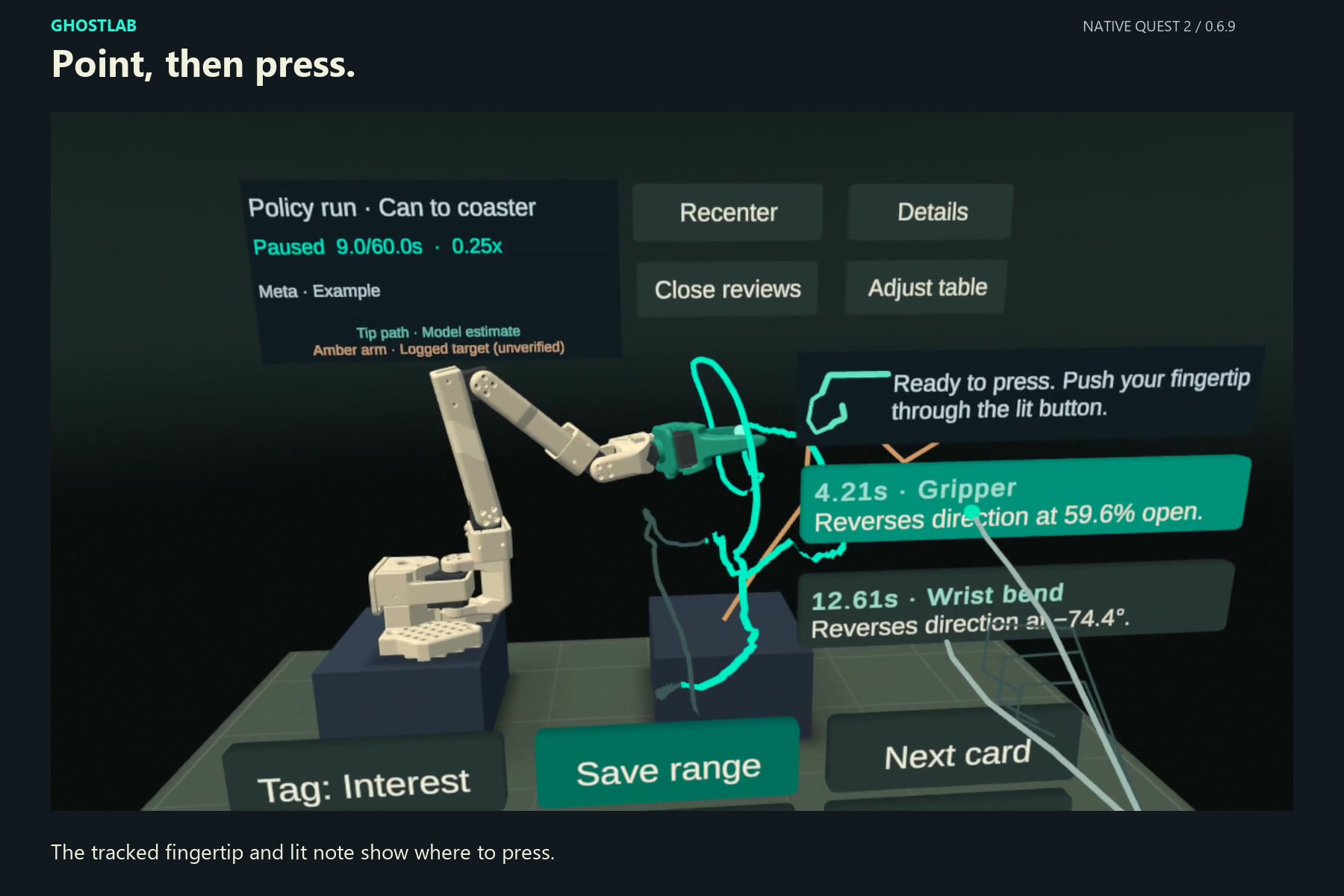
Point and press a time card, or pinch and release over it. The fingertip and intended target light up together. Controllers are not required.
Replay the joint
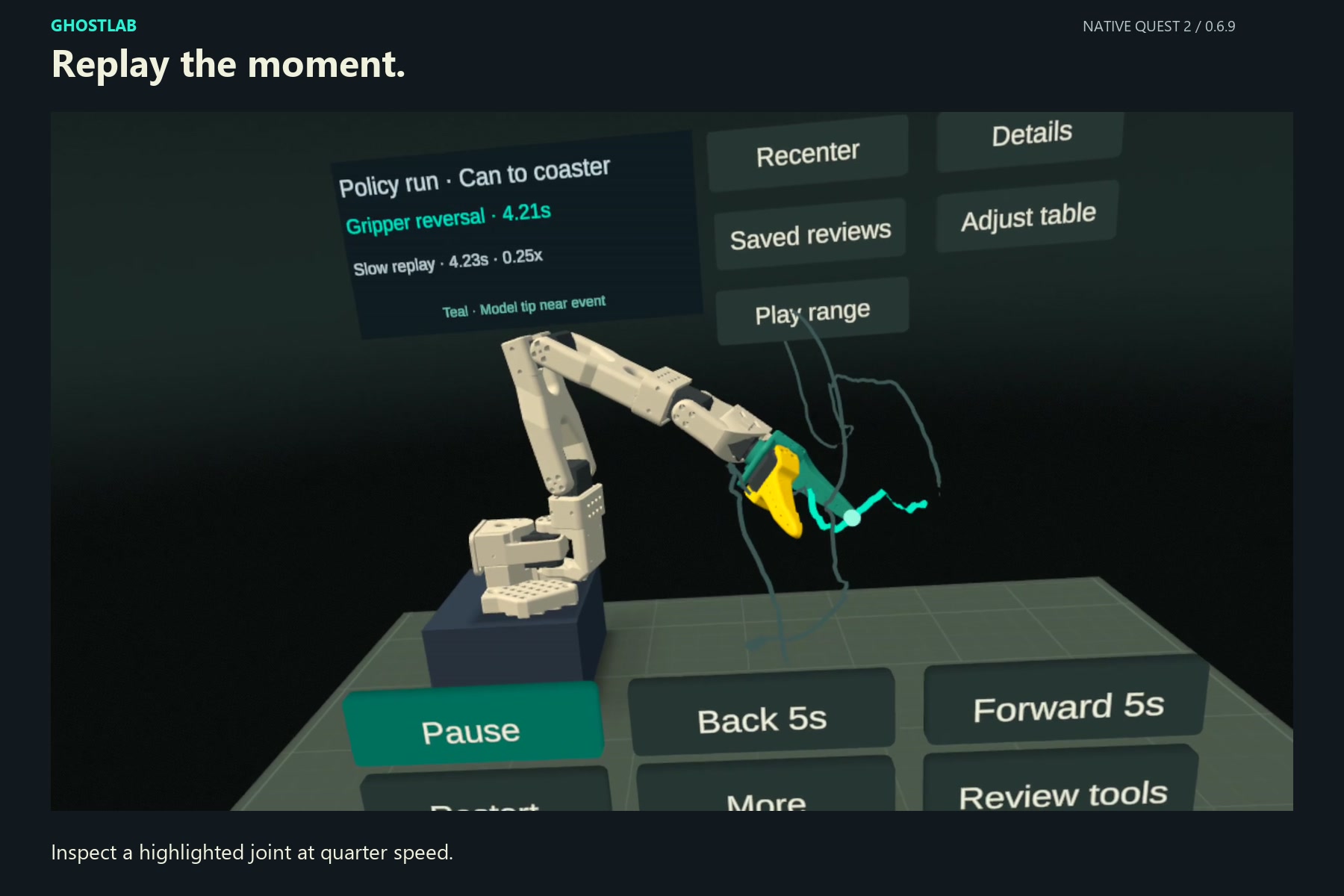
The 4.21s example selects a gripper reversal. Replay moment plays a short interval at 0.25×, pulses the joint at the event and stops at 5.41s.
Keep the observation
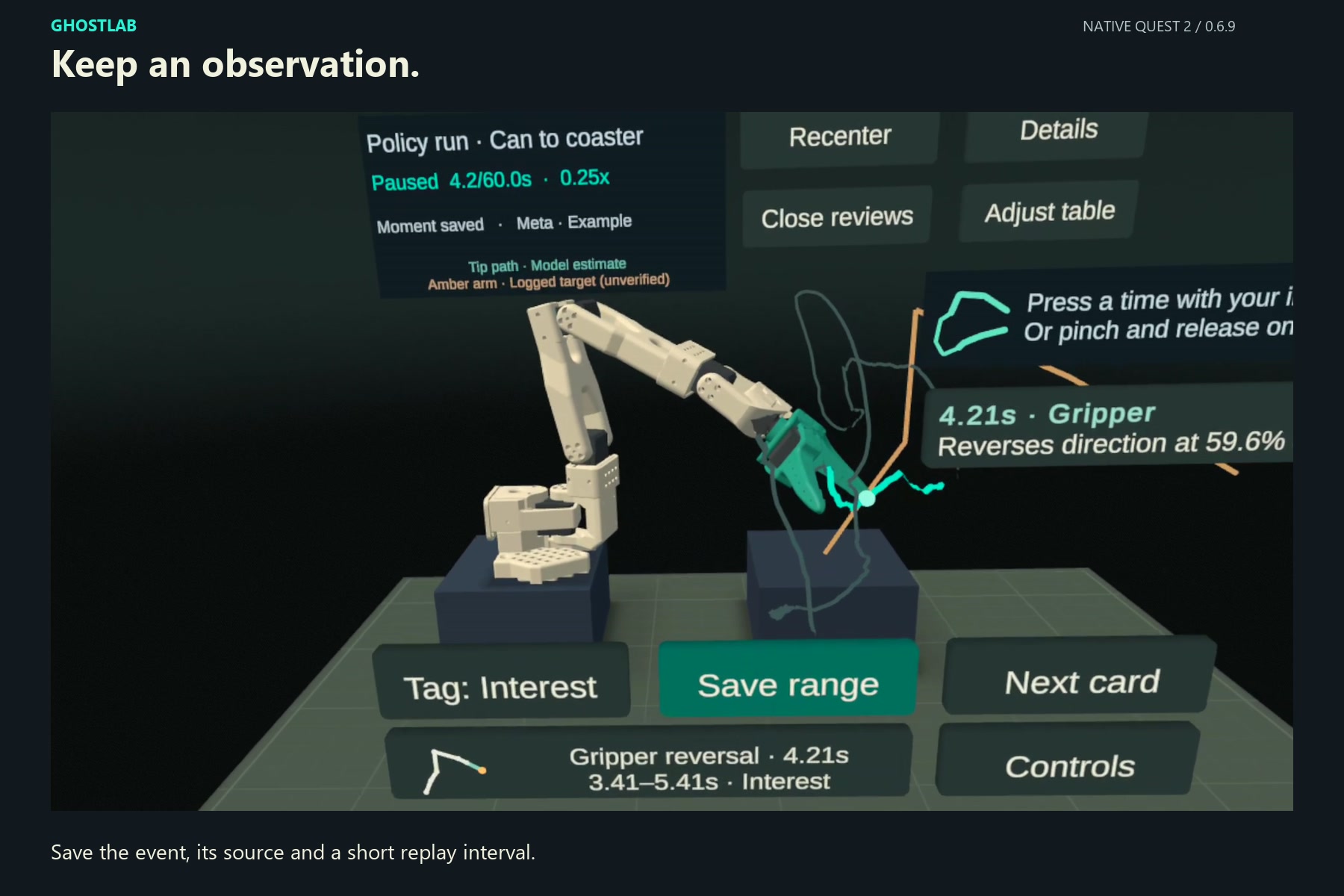
After natural replay completion, the same front button becomes Save this moment. A separate press saves the observation. Reopening its named card returns to the original event.
Return offline
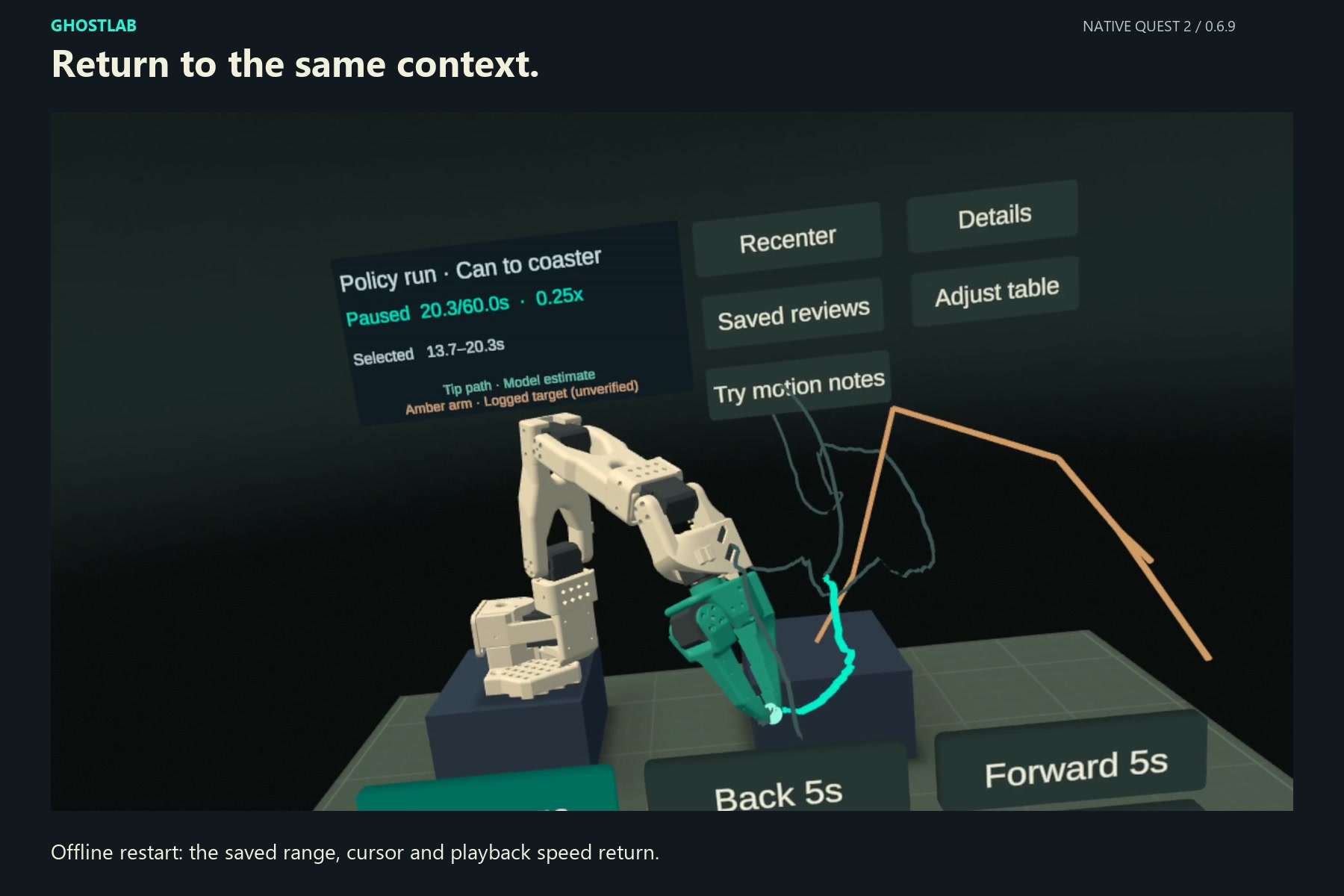
For your own interval, pinch and drag the white timeline marker, set start and end, then save a tagged range. The recorded offline check restored 13.7–20.3s, the 20.3s cursor and 0.25× speed.
Motion notes connected to evidence
GhostLab analyzes continuous spans of measured joint data before asking a model for language. A reversal requires an excursion of at least 8° on both sides, or 8 percentage points for the gripper. Interior reversals can be detected even when the largest excursion occurs at the end of the chosen range. Gaps break the analysis span.
When the lab gateway is paired, Meta Muse Ember receives up to four measured facts and returns one or two supported English observations. The response is checked against the event IDs, joints, values and permitted wording. Selecting a note returns to the same recorded evidence that supports its description.
| Label in the app | What it means | Availability |
|---|---|---|
| Meta · Example | Two actual Meta-generated notes bundled with the example run | Works offline on a fresh headset installation |
| On-device analysis | New observations selected locally from the chosen interval | Works offline for new ranges |
| Meta · Saved | A Meta response saved with the user’s review | Generation needs the paired gateway; the saved result reopens offline |
New live Meta generation is an optional lab feature. The model API key stays on the GX10; the headset receives its own pairing token. A public generation endpoint is prepared separately and is not part of the standalone first-use experience.
The physical motion and its virtual reconstruction
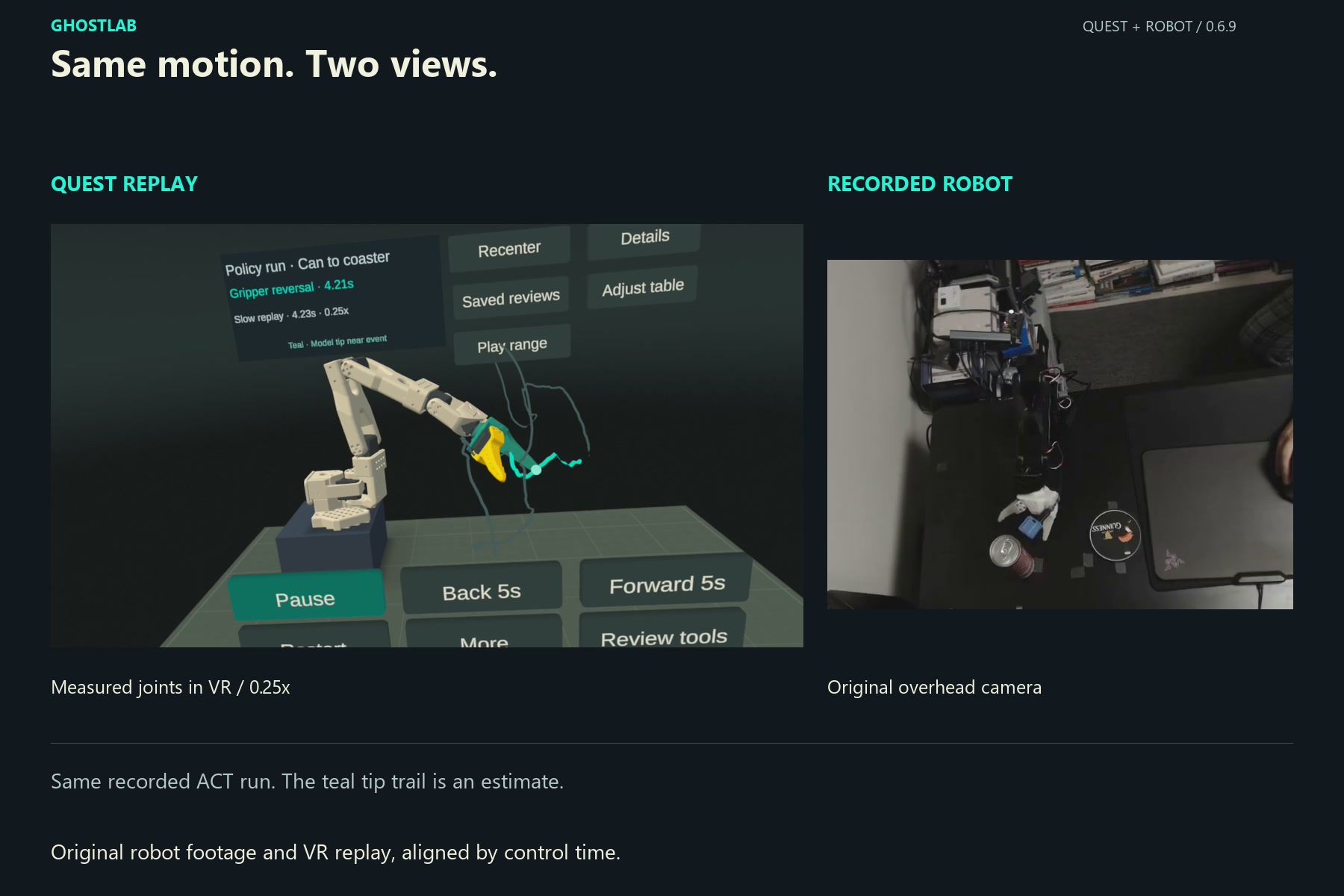
An edited comparison from the demo, matching the robot camera recording and Quest replay by control time. This comparison is not an in-app synchronized camera player. The measured joints drive the virtual model; the teal tip path remains a forward-kinematics estimate.
A lab-paired headset can also open Live monitor. Passthrough reveals the real desk, with a measured SO-101 pose displayed beside the physical Follower. The optional OpenMV wrist-camera feed and Record 20s capture support bench review. These features require the paired GX10 and robot setup. GhostLab’s connection is read-only and does not command the arm.
A clearer first review in 0.6.10
- Select. Four slim progress segments and a short instruction identify the next action. The example’s first note is emphasized.
- Replay. Secondary controls become quieter so the selected joint and front replay control remain prominent.
- Save. Saved on this headset confirms success, and the saved card briefly pulses in teal.
- Reopen. Opening that card completes the guide. Completion persists after restart, so returning users keep the ordinary controls without repeating the introduction.
The source label and replay stop time remain visible throughout the relevant steps.
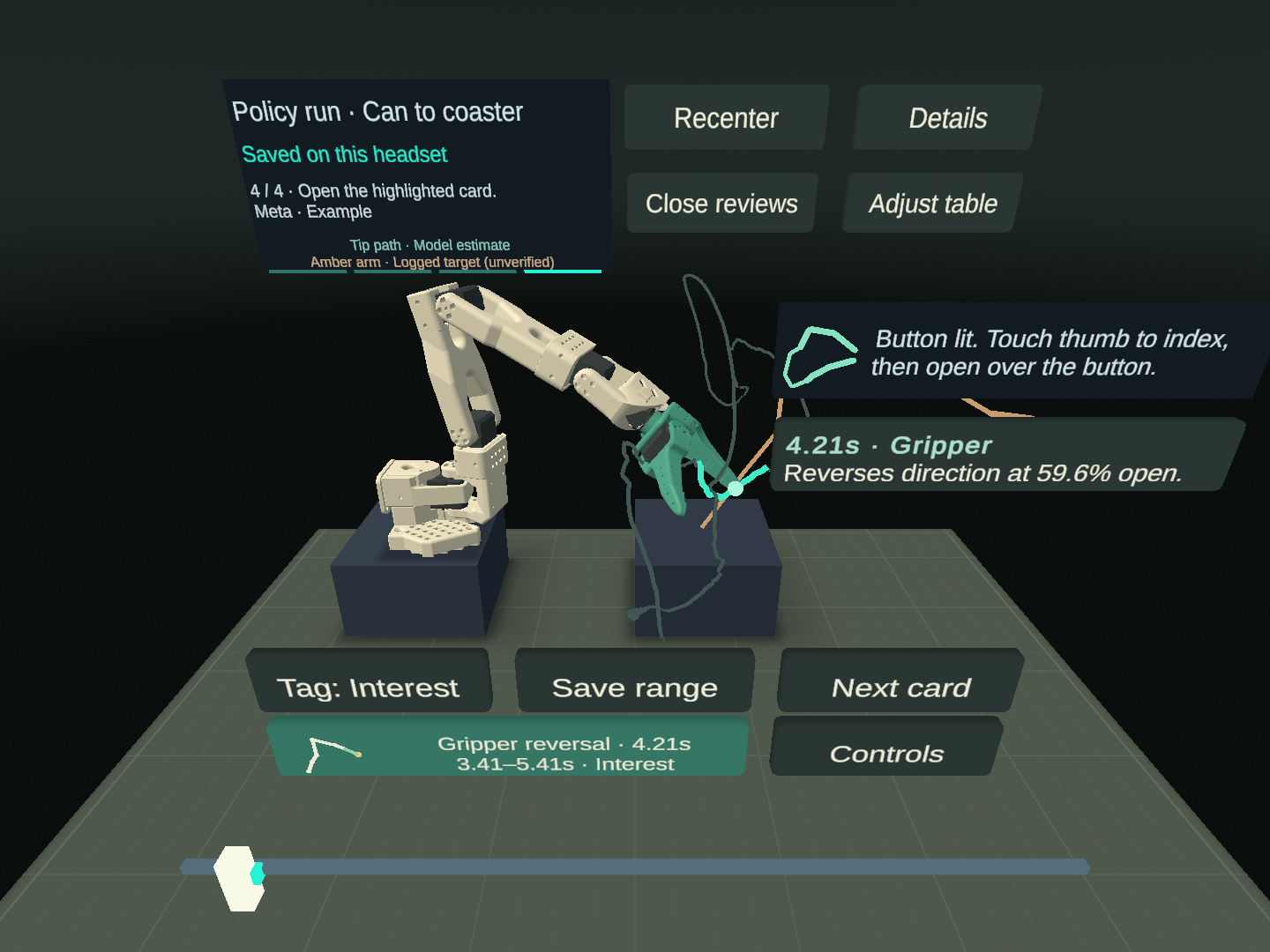
Editor render of the 0.6.10 interface. The existing user separately confirmed the guidance, visual emphasis and card reopening on Quest 2.
Validation and current limits
| Check | Recorded evidence |
|---|---|
| Automated behavior | 111 EditMode + 40 PlayMode tests passed on November 16, 2026 |
| Quest 2 use | The existing user completed note selection, replay, saving and reopening with the new guidance |
| Update and restart | All 18 existing saved files survived the update; guide completion and the selected review persisted after restart |
| Short performance sample | 27 reports over 27.329 seconds, each reporting 72 FPS at 72 Hz; three stale frames in total; app GPU p95 6.78 ms |
| Distribution | Production-signed 0.6.10 (27) uploaded to the Competition channel on November 16, 2026 |
The performance sample is a short hands-on check, not a five-minute endurance result. Independent first use on Quest 3/3S and installation through another Meta account remain unverified. Versioned validation record.
Joint evidence and tip estimates
The tip trail comes from forward kinematics, not a measured Cartesian position. Physical holdout checks found errors up to 18 cm. The interface labels the trail as estimated and the amber logged target as unverified.
Observation and control
The app reviews recorded motion and reads live telemetry. Moving through a clip does not move the physical Follower. Live bench access and wrist video are optional paired features.
Validation scope
Automated checks and the existing user’s Quest 2 sessions support the current workflow. They do not establish a general usability success rate, precise tip registration or performance on every headset.
Try it on Quest
Join the Competition release channel with a Meta account and install GhostLab. Enable hand tracking and sit comfortably at a desk or table.
- Face the workbench; use Recenter if needed.
- On first launch, the example notes are already open. On later visits, choose Try motion notes.
- Press 4.21s · Gripper, then Replay moment. Lower your hand while it plays.
- After the stop at 5.41s, press Save this moment.
- Open the highlighted card to revisit the event. Use Review tools to choose your own interval afterward.
Built with
| Layer | Tools and role |
|---|---|
| Standalone Quest app | Unity 6, C#, OpenXR, Unity XR Hands and URP |
| Interaction | Custom finger-press, pinch selection and timeline-drag logic |
| Motion and data | SO-101 recordings, an ACT policy run, Python import tools and a public LeRobot-format demonstration dataset |
| Motion descriptions | Meta Model API, Muse Ember, evidence validation and local offline analysis |
| Optional bench connection | GX10, read-only Follower telemetry, Meta passthrough and OpenMV wrist video |
Next steps
The next step is to test the first review with new users, then bring recorded review onto the real desk through passthrough. Further work includes inspecting demonstration episodes beside policy runs and exporting human-confirmed observations for learning experiments, beginning in simulation. These are planned extensions to the current review tool.
Code, data and provenance
- GhostLab source and engineering records. Repository access is currently restricted; public access is pending as of November 18, 2026.
- 120 SO-101 demonstrations on Hugging Face, released under CC BY 4.0. The bundled example is a separate policy-execution recording, not a demonstration episode.
- Related QuantGate project, providing the bench and policy-execution context.
- Devpost project and narrated demo.
The logo and Quest footage were supplied or recorded by Chanseok. The six gallery images show 0.6.9; the new guide screenshot is an editor render from 0.6.10. The page layout follows the paired-task audits project page.
Project status checked against the repository records on November 18, 2026.